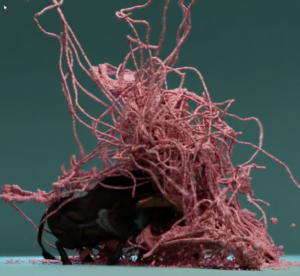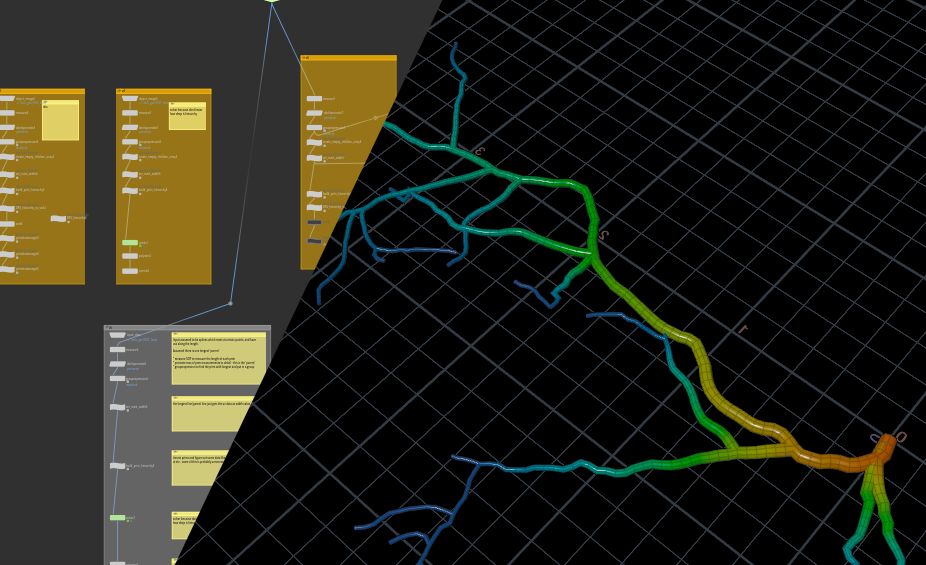
a.k.a. shaping lightning!
Intro:
I was making some assets which needed a forked mesh and I had decided on a few things -
- Not too fussy about the joins, the forks can intersect etc.
- I needed coherent UV or other data along the length, in order to do some shader tricks and some later parts of the process.
I had tried various ways to create these curves but there was nothing super obvious which solved all my problems, and it seemed like an interesting challenge so I decided to try to get this working exactly as I needed it - after all, that's the power of Houdini!
The input data:
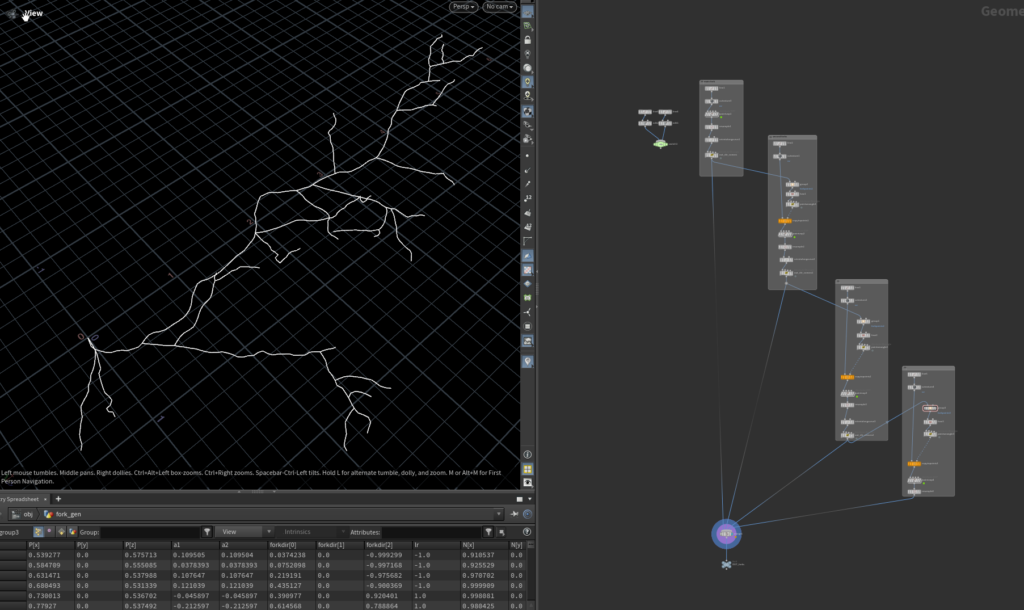
It is not the most elegant graph but ultimately it’s a debug tool. This creates:
-
- A wiggly curve with some random data like directions and a random group of candidate points to grown new curves
-
- 3 child layers of the same, with smaller params/sizes
In the image those vertical columns are the hierarchy of branches from the initial one to the leaf nodes on the right had side.
The end result is a forked lightning-ish shape. The specific use case was more 2d but I though it was worth just solving this in 3d in case it is useful in future and besides it doesn’t massively simplify things.
Curves can easily have a ‘curveu’ attribute along their length generated. This can be used for all kinds of things. The issue with this setup is that the polylines are disconnected so they get their own 0-1 ranges. The curveu is not continuous so anything you do with it will have seams and problems where branches split off.
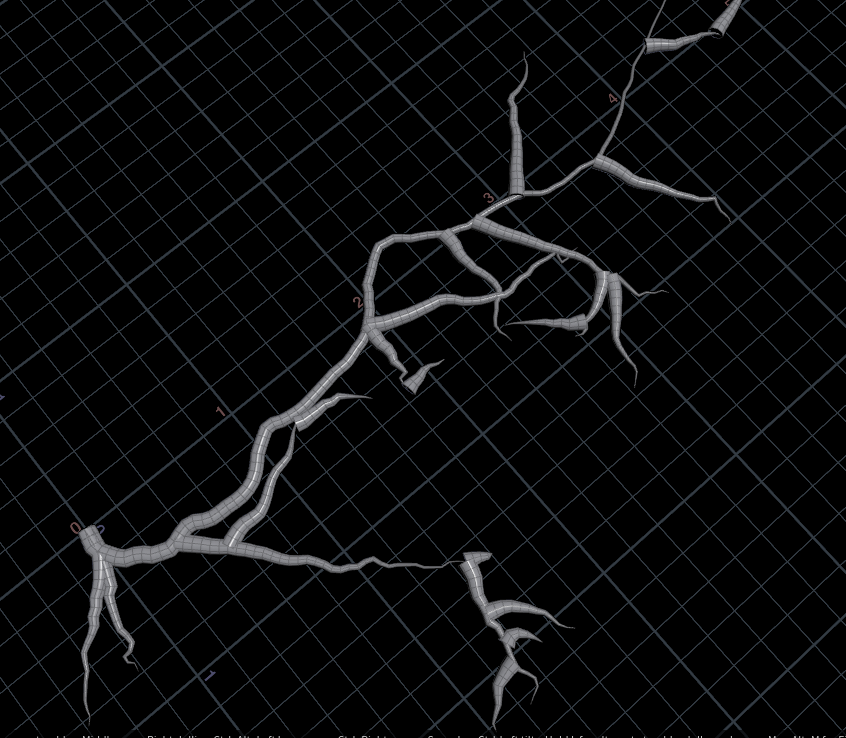
Here you can see that a simple polywire with the curveu as width is messy and each curve goes from 1-0 independently
There are some workarounds with merging curves and joining those leaf nodes, and I had considered merging the geometry then actually walking the topology from the root point until all points are calculated, but this seemed overkill (still tempted to do this just for the practise one day!)
The approach:
Breakdown:
Here is the best result – note, this still needs a proper clean and has not been tweaked for performance at all.
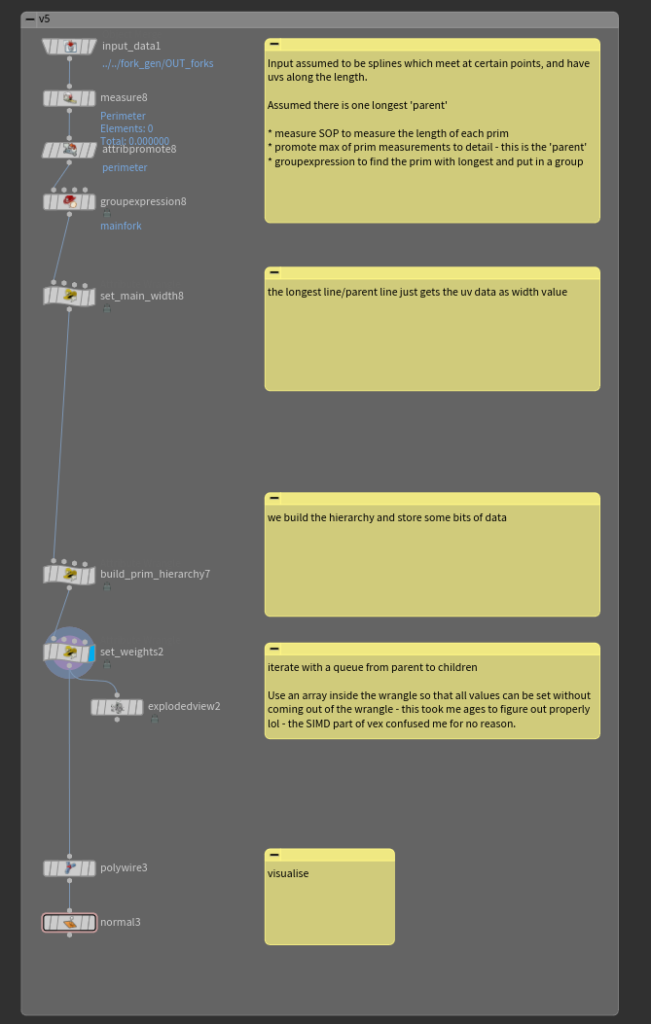
The top half is just getting the longest fork and taking that as the main one – and setting 1-0 data along its length. The fun starts at “build_prim_hierarchy”
We can look node by node with brief explanation:
“build_prim_hierarchy” node:
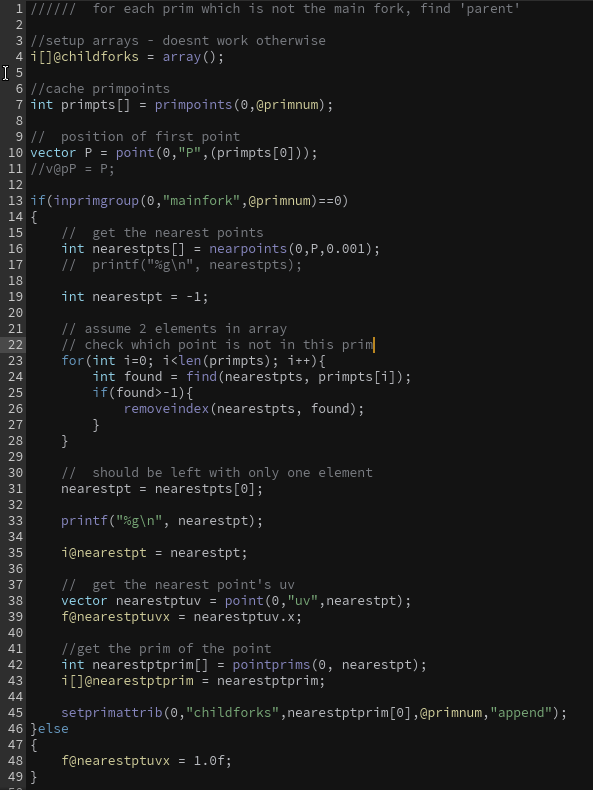
This is a primitive wrangle, which means this VEX is run per primitive in parallel. Summary as follows:
-
- Get data (childforks array)
-
- Store points for this prim
-
- If this prim is not the main fork –
-
- find the nearest other point to the 0th point of this line
-
- Get that found point’s primitive index and store it
-
- Also push this prim’s id to the found parent’s children list attribute.
-
- If this prim is not the main fork –
The idea being that after this we have every line knowing its parent line and having a list of its children, stored in some attributes. A bunch of this data could be pre-calculated to speed up the code, I am sure, but the speed is not practically a problem so this remains as a task on the later-base.
“set_weights” node:
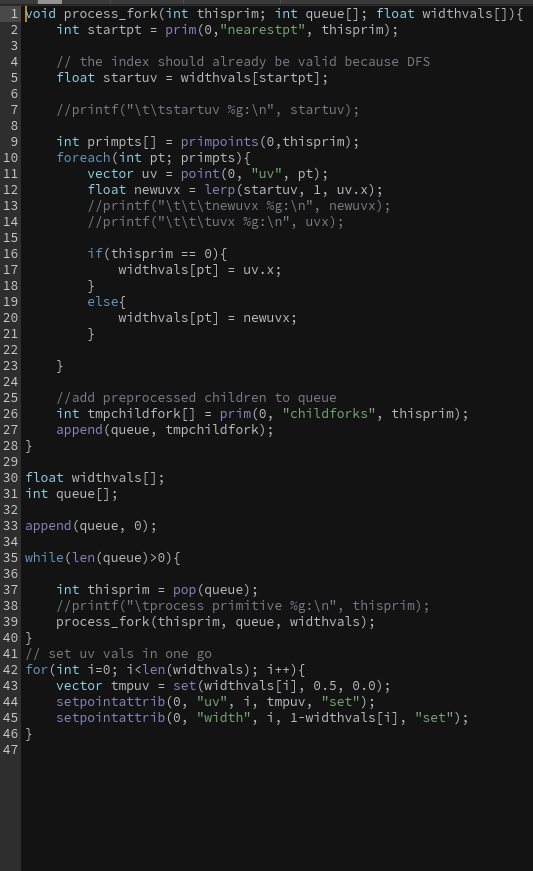
This is a ‘detail’ wrangle, meaning it doesn’t operate on a set of geo/points/prims, but just runs once.
Here’s the summary:
-
- Define function to process a ‘fork’ which is one of the primitives – Function does:
-
- Pass in an index for the line, the queue, and the array of width values
-
- Get the start point of the line precalculated earlier, and use it to get the starting width value – the ‘parent’ from which we will blend to 0
-
- Iterate the points of this line, mapping the UV to a X-0 range where X is the start value.
-
- The new values get stored in the widthvalues array which is a cache of all the points’ width values for the whole geo
-
- This will get written back to the geo at the end after all the lines have done their processing
-
- The new values get stored in the widthvalues array which is a cache of all the points’ width values for the whole geo
-
- After this line is calculated, we add its children (from the precalculation) to the queue
-
- Define function to process a ‘fork’ which is one of the primitives – Function does:
-
- The main script from line 30 on:
-
- create a cache of width values for all geo (will be accessed ad hoc, vex allows this, we don’t have to preallocate – probably a small perf penalty here but it’s more convenient)
-
- Create a queue array
-
- while queue is not empty:
-
- take first index and process using the function we defined
-
- while queue is not empty:
-
- after queue is empty:
-
- iterate the widthvals array, and put the point data to the geometry for output.
-
- after queue is empty:
-
- The main script from line 30 on:
This is a kind of DFS/BFS implementation as mentioned previously, but I avoided recursion as I tend to prefer queue based approach. Deep recursions can have problems with stack allocation and there is a possibility of such a thing happening if the input data is huge or complex. I didn’t add any defensive measures into this solution as it is just a small tool, but you could always validate the input geometry/prim count to avoid disaster anyway.
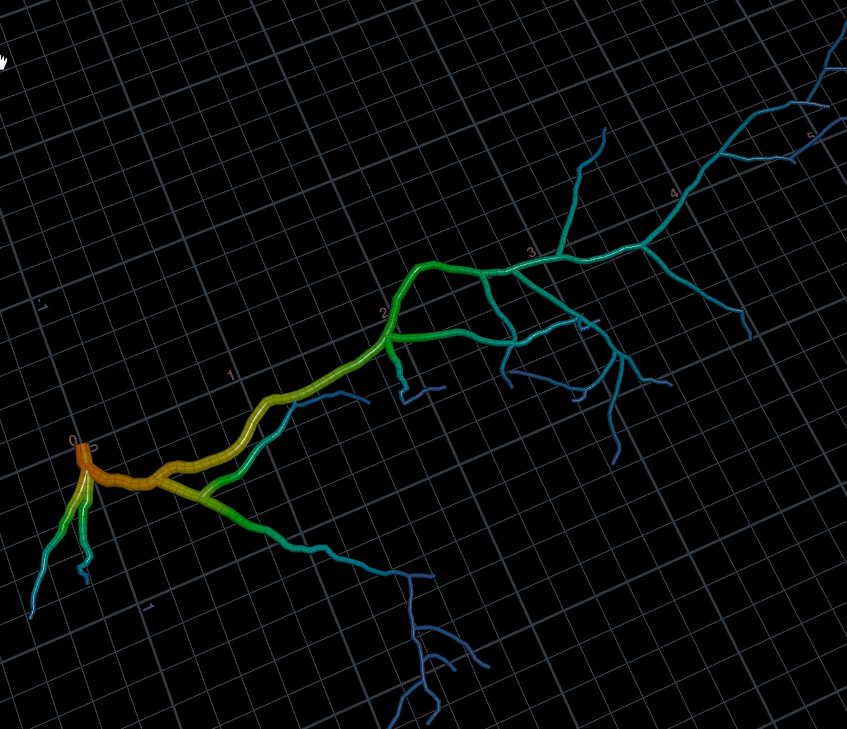
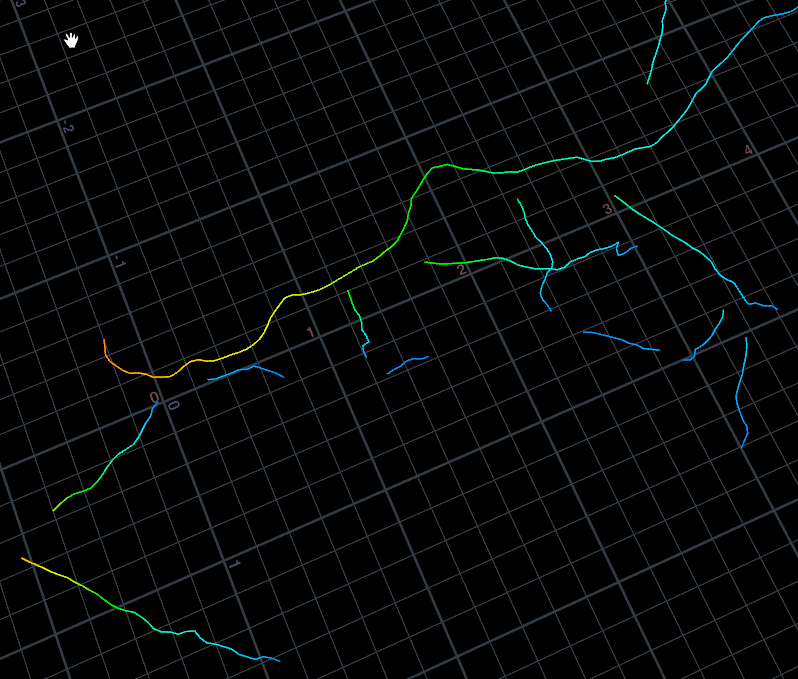
The result is that the data is clean and contiguous as expected, but the geo is not connected, which can be useful.
One of the nice things is that you can vary the width and through the process of tranferring data it stays coherent, so this could be made to support noise and other variation as part of the tool.
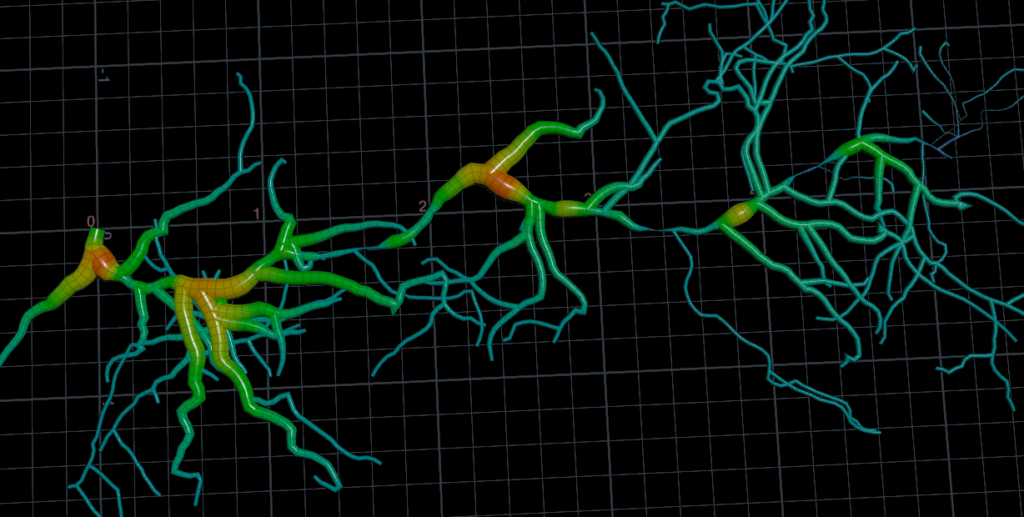
An exaggerated example – adding noise to the initial main fork’s width is properly inherited by the next generation of lines.
In summary, I should be less intimidated by detail wrangles and have confidence that anything you want to do with geometry you can absolutely achieve in houdini using a combination of tools but always with the fall back that in a detail wrangle you can access and modify any and all geometry attributes – supreme control and flexibility. Also, learn a bit about basic queue/stack/recursive approaches for walking hierarchies as this is a pretty constant aspect of working with geometry and game content at various levels.
If you made it this far thank you! I hope it was interesting.